![eCLogo.png]](https://help.samaritan.com/hs-fs/hubfs/eCLogo.png?height=40&name=eCLogo.png)
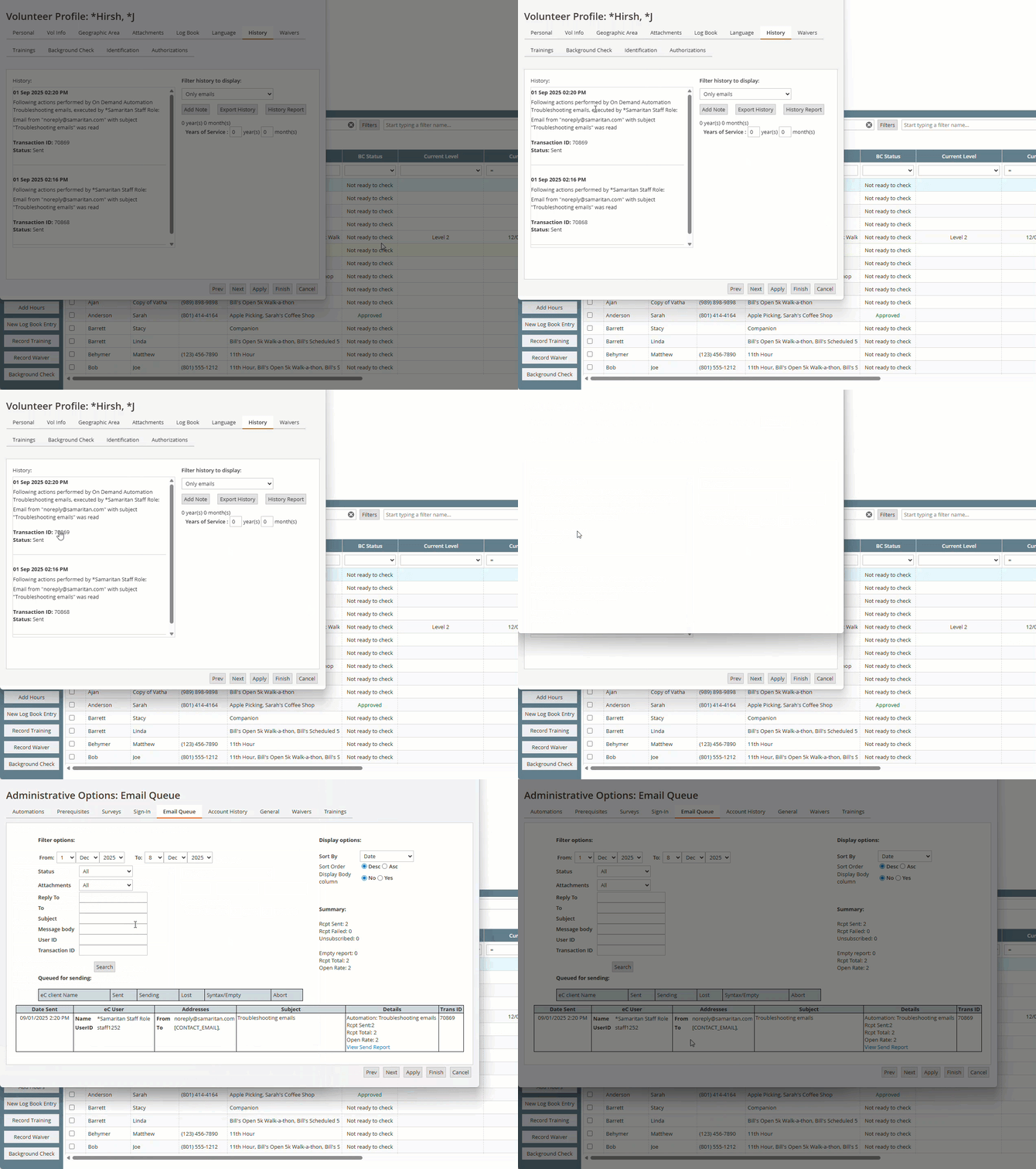
You now have a direct connection from the volunteer's history to the email queue. Here is how that works.
1. Open up a volunteer record
2. Click on the History Tab
3. Filter the history to display to Only emails (optional)
4. On the record that has the email, click on the Transaction ID number
This will then take you directly to the email queue for that email.